Upload Vakaros Data to Ktool
This page is for Vakaros users. Export your session as VKX or CSV, upload it into Ktool, and process it for full maneuver + performance analysis.
Before you sail: set Telemetry Logging to 5 Hz or 10 Hz
For the best accuracy in tacks/gybes and short maneuvers, record your session at 5 Hz (minimum) or 10 Hz (best).
In the Vakaros mobile app
Set the logging rate like this:
- Open Boats
- Select your boat
- Open Device
- Find Telemetry Logging
- Select 5 Hz or 10 Hz
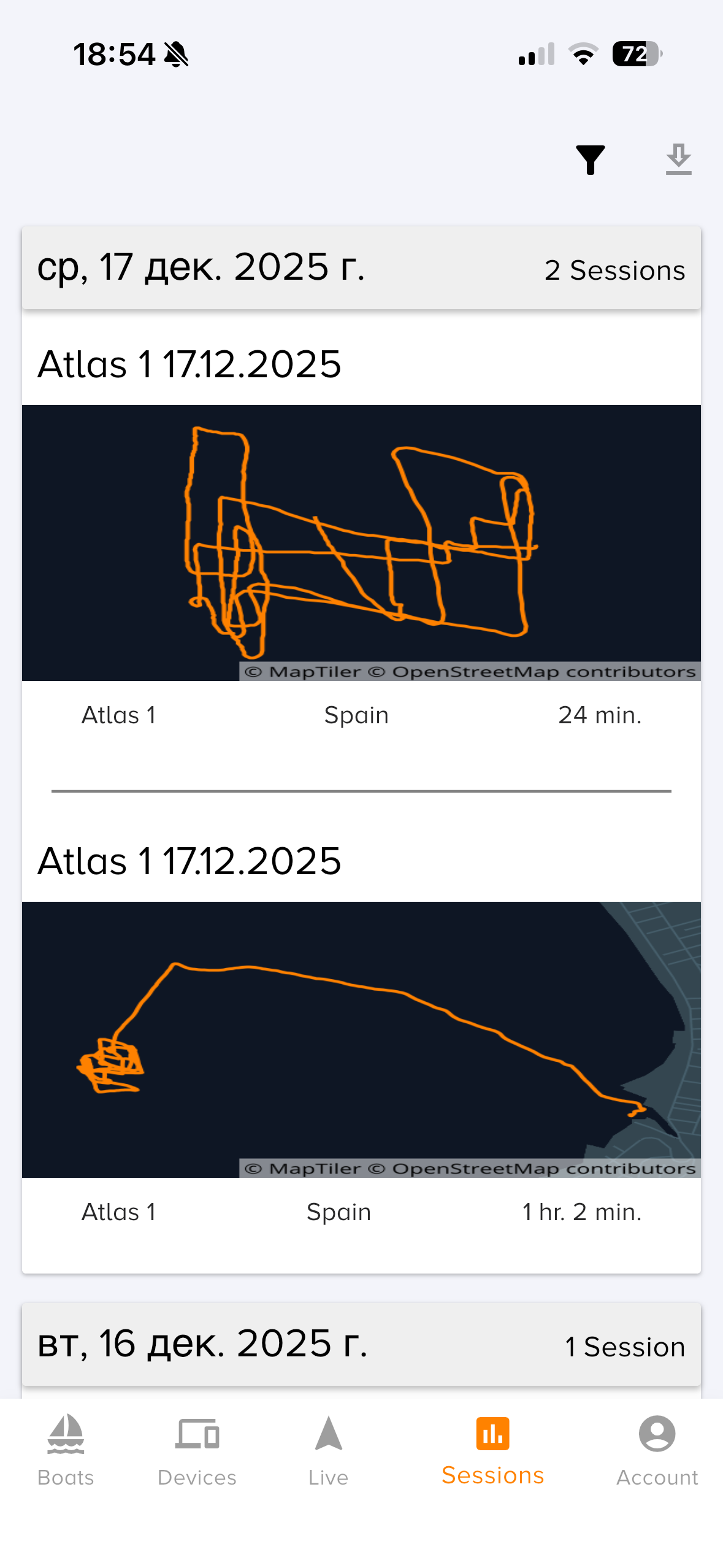
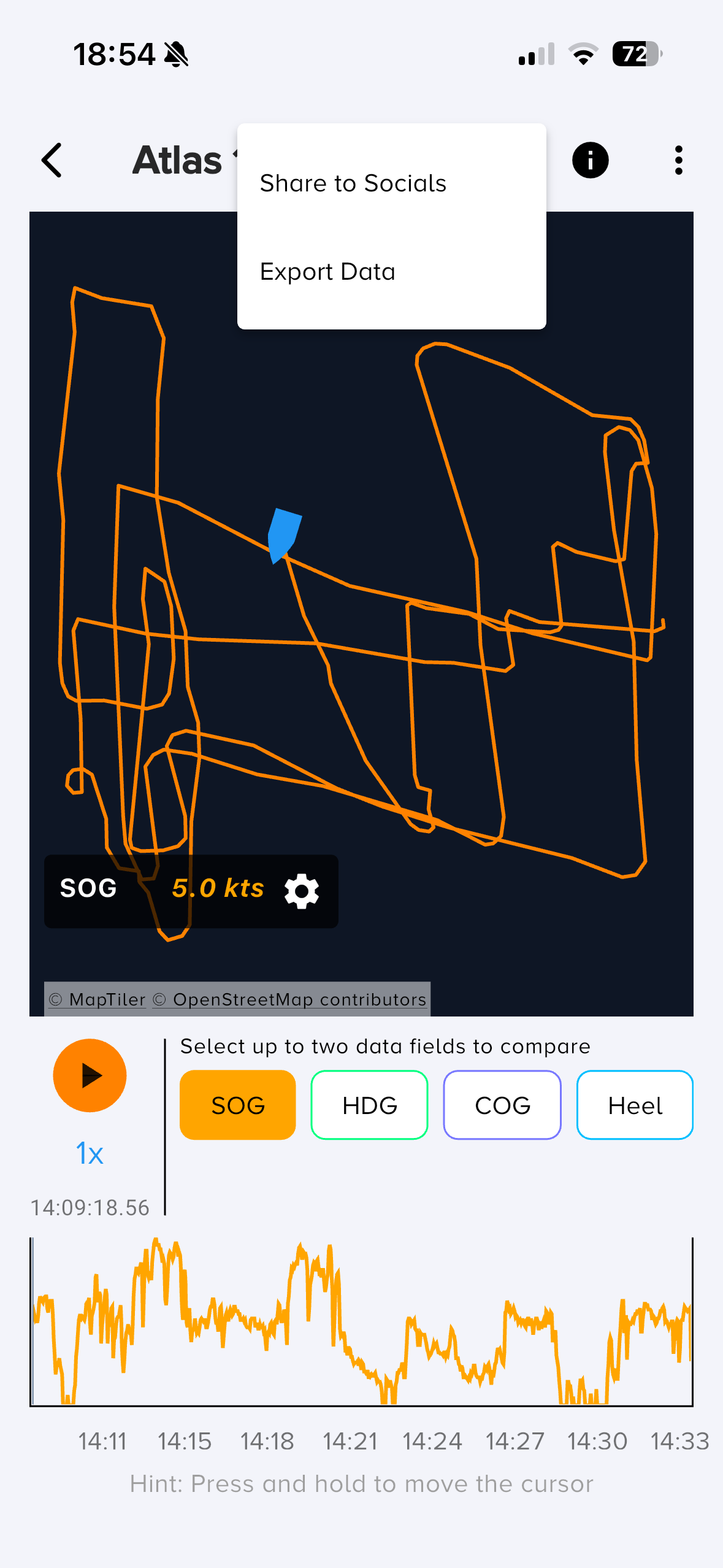
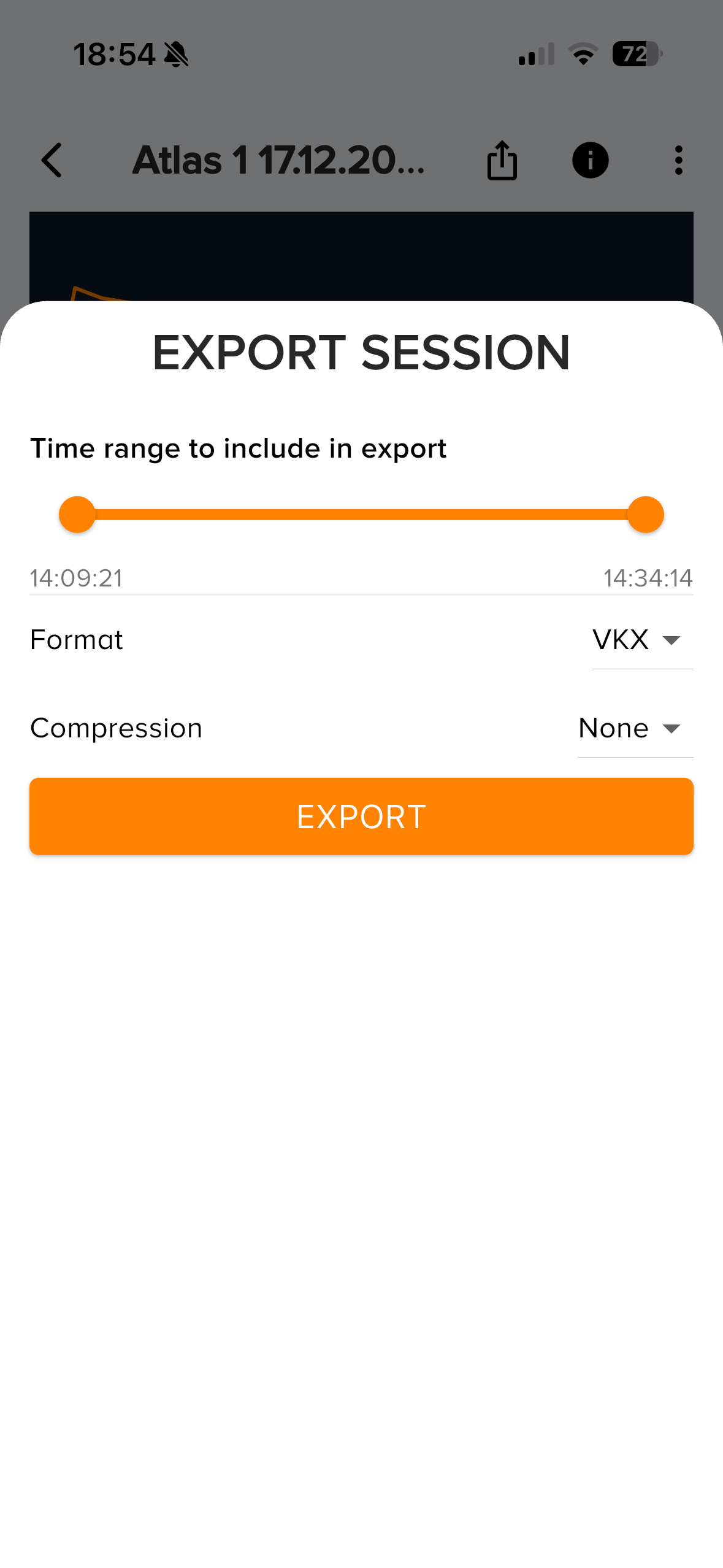
Export your session from Vakaros: VKX or CSV
Export as VKX (recommended) or CSV (works well), then upload to Ktool.
Recommended: VKX
Use VKX for the most complete Vakaros dataset and the best match with Ktool analysis.
Alternative: CSV
Use CSV if you prefer a readable table format. Make sure it includes timestamps + GPS.
Upload into Ktool and process
Go to Upload Data, select your boat, add your VKX or CSV file, then click Process Data. Ktool will analyze maneuvers, generate performance charts, and compute VMG, heel, pitch, turning rate, and more.
Step-by-step
- Open Upload Data
- Select your boat
- Click Add Data File
- Choose your VKX or CSV file
- Click Process Data
If you report an issue, please include: device model, logging rate (Hz), and a sample file (VKX/CSV) or a screenshot of the error.